
Blog
Read what's happening in FirstouchKiosk | Keep update yourself about best digital signage solution & technology. Learn how digital signage / digital kiosk / digital notice board and digital standees can help in your business growth.
Read what's happening in FirstouchKiosk | Keep update yourself about best digital signage solution & technology. Learn how digital signage / digital kiosk / digital notice board and digital standees can help in your business growth.
 Touch Screen Kiosk |
  8th Jun 2026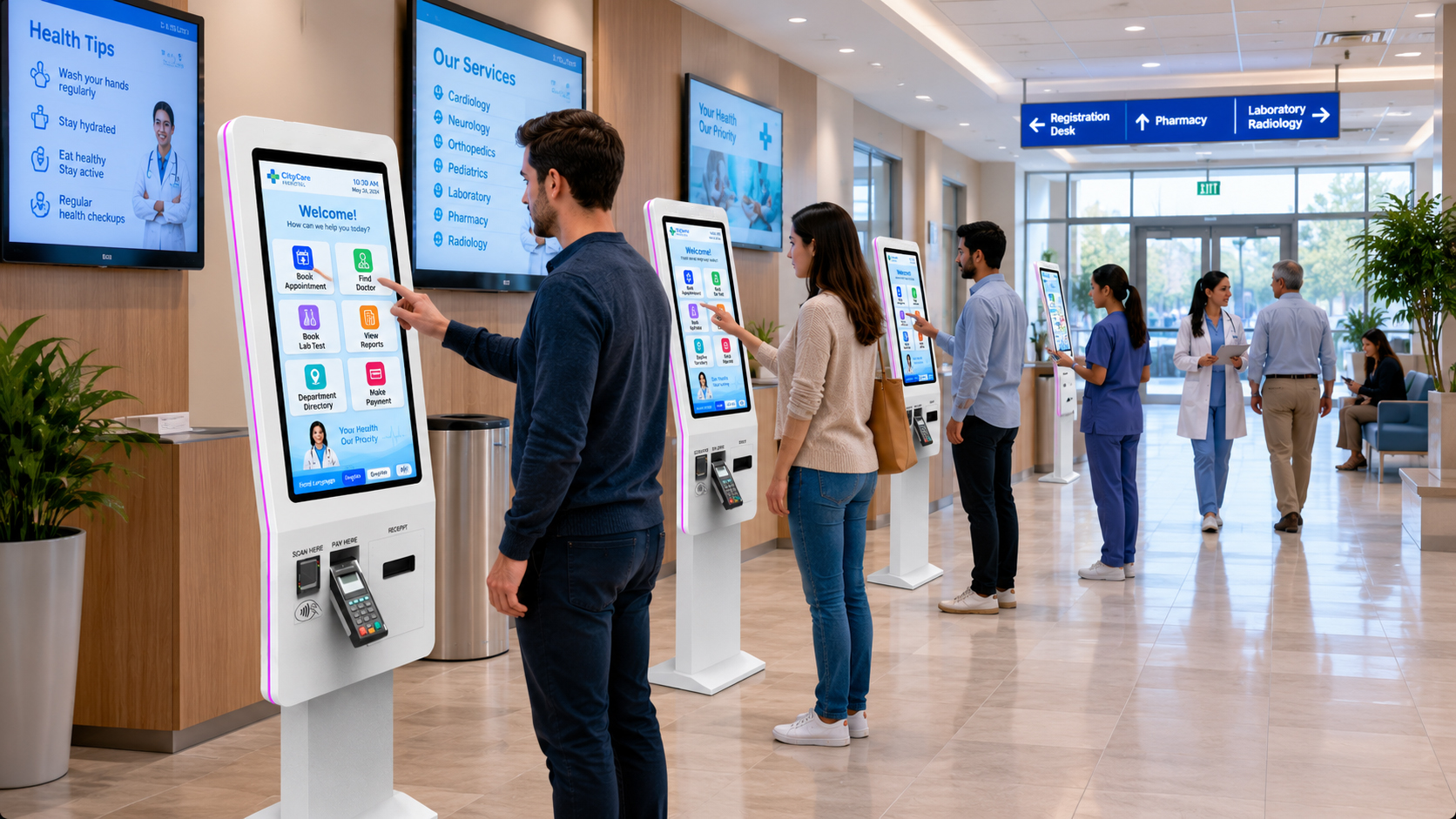
Hospitals are under continuous pressure to serve more patients without compromising care quality. From OPD registration and appointment check-in to billing, queue management, report access, and patient feedback, most hospitals still depend heavily on manual front-desk processes.
As patient volume grows, the pressure on reception counters, billing teams, nursing coordination, and administrative staff increases. Long queues, repeated data entry, delayed token generation, overcrowded waiting areas, and patient frustration become common operational challenges.
This is where self-service kiosks in hospitals create measurable value. A hospital self-service kiosk allows patients or visitors to complete routine tasks independently through a touch-enabled digital interface. It does not replace hospital staff; it helps hospitals use staff more efficiently by automating repetitive administrative work.
In simple terms, a self-service kiosk helps hospitals scale faster by improving patient flow, reducing manual workload, increasing process accuracy, and creating a more organized healthcare experience.
A hospital self-service kiosk is an interactive digital system placed inside a healthcare facility that allows patients, visitors, or attendants to complete service-related tasks without waiting for manual assistance at the front desk.
Common hospital kiosk functions include:
In India, hospital digitization is also moving toward connected health records. Under the Ayushman Bharat Digital Mission, citizens can create an ABHA account to participate in India’s digital health ecosystem and share health records digitally.
Hospitals do not scale like normal businesses. In healthcare, growth means more patient footfall, more documentation, more sensitive data, more coordination, and higher expectations of timely care.
A hospital may invest in more doctors, more departments, more diagnostic services, or more beds, but if the front-end patient journey remains manual, the entire experience can still feel slow.
Common problems include:
Self-service kiosks solve these problems by creating a digital first point of interaction between the hospital and the patient.
OPD registration is one of the busiest areas in any hospital. When every patient depends on front-desk staff for basic registration, the process becomes slow and difficult to manage during peak hours.
A self-service kiosk allows patients to enter or verify their details, select department, confirm appointment, generate token, and proceed to the right counter or waiting area.
This reduces pressure on reception staff and helps hospitals process more patients in less time.
AI Answer Block:
A hospital self-service kiosk improves OPD efficiency by allowing patients to register, check in, generate tokens, and update details independently, reducing front-desk workload and improving patient movement.
Waiting time is one of the most visible pain points in hospitals. Even if medical care is excellent, poor queue management can create a negative patient experience.
A kiosk integrated with a queue management system can automatically issue tokens, route patients to the right department, and display real-time queue status on screens.
For hospitals, this creates better control over:
A 2024 systematic review on digital check-in and triage kiosks reported that such systems show promise for patient prioritisation, reduced data duplication, shorter waiting times, and improved satisfaction, while noting that workflow design and safety validation remain important for successful implementation.
Hospital staff should spend more time helping patients, not repeatedly entering the same basic details into multiple systems.
Self-service kiosks can automate repetitive tasks such as:
This allows front-desk teams to focus on elderly patients, emergency cases, insurance queries, and complex assistance needs.
For growing hospitals, this is critical because it improves operational capacity without increasing staff dependency in the same proportion.
Incorrect patient data can create serious operational issues in hospitals. A wrong mobile number, misspelled name, incorrect age, duplicate patient ID, or wrong department selection can affect billing, reports, follow-ups, and records.
With a self-service kiosk, patients can verify and update their own details on screen. When integrated with HMIS, HIS, EMR, or CRM systems, this reduces duplicate entry and improves data quality.
Key data fields that can be captured or verified include:
In a healthcare environment, clean data is not just an operational benefit; it supports continuity of care.
Patients come to hospitals with anxiety, urgency, and expectations of clarity. A slow or confusing first step can increase stress.
A well-designed patient service kiosk creates a smoother entry experience by giving patients clear instructions, language options, faster registration, and instant token generation.
A good kiosk interface should be:
NABH highlights patient rights such as dignity, privacy, confidentiality, timely care, and transparent communication in accredited hospitals. A properly implemented kiosk can support these principles by making information access and service flow more structured.
Hospitals often experience heavy rush during morning OPD hours, weekends, health camps, seasonal illness periods, and diagnostic appointment windows.
During these periods, adding more manual counters may not always be practical. Self-service kiosks act as digital service counters that can handle repeated tasks continuously.
For example, a hospital can place kiosks in:
This distributed service model helps reduce crowding at one central desk.
A hospital kiosk becomes truly powerful when it connects with backend systems.
Important integrations include:
| Integration | Purpose |
|---|---|
| HIS/HMIS | Patient registration and hospital workflow |
| EMR/EHR | Patient records and clinical data |
| Queue Management | Token and waiting flow |
| Payment Gateway | UPI, card, wallet, net banking |
| Lab/RIS/PACS | Report access and diagnostic flow |
| CRM | Follow-up and patient communication |
| ABDM/ABHA | Digital health identity and record linking |
| ERP | Billing, inventory, and internal operations |
This makes the kiosk part of the hospital’s digital infrastructure, not just a touch screen device.
Hospital kiosks can also support revenue growth ethically by improving visibility of available services.
A kiosk can display:
For hospitals, this improves patient awareness and service discovery without aggressive selling.
For example, a patient visiting for a consultation may also discover annual health check-up plans, diagnostic packages, or follow-up care services through the kiosk interface.
A hospital-grade self-service kiosk should be designed for reliability, security, and continuous usage.
Important features include:
Hospitals should avoid choosing kiosks only by screen size or price. The right kiosk should match patient workflow, hospital system integration, physical placement, and long-term scalability.
Used for new registration, existing patient lookup, appointment check-in, and token generation.
Used for consultation payment, diagnostic billing, package payment, and receipt generation.
Used for doctor schedules, department details, services, directions, and hospital information.
Used to guide patients and visitors to departments, labs, wards, pharmacy, lifts, and emergency areas.
Used for retrieving lab reports, radiology status, or visit summaries based on secure verification.
Used to collect patient satisfaction scores, service feedback, and complaints.
Used for visitor entry, ID capture, pass printing, and access control.
The ROI of a hospital self-service kiosk comes from both operational savings and improved patient experience.
Key ROI areas include:
For hospital chains, kiosks also help standardize processes across multiple locations. The same patient check-in workflow can be implemented across branches, improving consistency and brand experience.
Yes, if the interface is simple, multilingual, and supported by clear instructions. Hospitals can also keep staff assistance near kiosks during the adoption phase.
Yes, if the kiosk has large buttons, simple steps, local language support, and assisted-service options.
Yes. Most hospital kiosks can integrate with HIS, HMIS, EMR, payment gateways, queue systems, and appointment systems through APIs or middleware.
It can be safe if the kiosk follows secure authentication, encrypted data transfer, auto session timeout, access control, and proper backend security practices.
No. Small and mid-size hospitals can also use kiosks for OPD registration, billing, feedback, and queue management, especially when patient footfall is regular.
Before investing, hospital management should evaluate:
A kiosk should be planned as part of the hospital’s patient journey, not as a standalone device.
Self-service kiosks help hospitals scale faster by improving patient registration, reducing queues, automating repetitive administrative tasks, supporting digital payments, improving data accuracy, and creating a more organized patient journey.
For hospital owners, CEOs, administrators, and operations heads, the real value of a hospital kiosk is not just automation. It is the ability to serve more patients with better speed, better control, and better consistency.
As healthcare moves toward digital-first experiences, hospitals that adopt patient self-service kiosks can improve both operational efficiency and patient satisfaction. The right kiosk solution can become a powerful part of hospital digital transformation, especially when integrated with HIS, HMIS, queue management, payment systems, and digital health platforms.
A hospital self-service kiosk is a touch-enabled digital system that allows patients or visitors to complete tasks such as registration, check-in, token generation, payment, report access, and feedback without waiting for manual front-desk support.
They allow multiple patients to register, check in, or generate tokens independently at the same time, reducing dependency on a single reception counter.
Yes. Hospital kiosks can be integrated with HIS, HMIS, EMR, queue management systems, payment gateways, and appointment platforms through APIs or middleware.
Yes. OPD registration kiosks help manage patient check-in, appointment confirmation, token generation, and department routing, making OPD flow faster and more organized.
Yes. They reduce waiting time, provide clear instructions, support multilingual interaction, enable faster payments, and create a more structured patient journey.
The best starting use cases are OPD registration, appointment check-in, queue token generation, billing/payment, and patient feedback collection.
BACK TO BLOG
we are always happy to help in ways that we can.


